This plan includes:
- 1 GB of RAM
- 1 CPU thread
- 5 GB of storage
- 2 backups, schedule them yourself
- 2 databases
- Location: United States

With Discord bot hosting from CakeHosting, your bot stays online day and night, even with your PC switched off. It runs with Node.js, Python or Java on an ARM server.
Prices to be confirmed. The Discord bot plans are ready, but the prices are not final yet. The amount you see at checkout is what you pay.
This plan includes:
This plan includes:
This plan includes:
All prices are per month and include 21% Dutch VAT unless stated otherwise. You will see the final amount at checkout.
A simple bot with discord.js or discord.py is fine with 1 GB. If your bot plays music or sits in lots of servers, take more.
Every server comes with
Pick them when you order. Prices per month.
Extra whipped cream Extra RAM
from €1.50
Extra layer Extra NVMe storage
from €2.95
Cake boxes More backups
from €2.95
Recipe book Five extra databases
from €1.49
Candles Extra ports
from €1.49
Cake vault Off-site backup
from €6.95
 Discord bot hosting Discord bot hosting
|
|
|---|---|
| Memory | 1, 2 or 4 GB |
| CPU threads | 1 to 2 |
| Storage | 5 to 20 GB |
| Backups | 2 per server |
| Databases | 2 (MySQL) |
| Locations | United States |
| Price | from €2.49 per month |
Node.js 18 to 26, Python 3.11 or Java 17 or 21. You pick the version in the Startup tab.
Templates for discord.js, an editor for your .env file and help with common error messages.
MySQL-compatible databases for your data, managed in the panel.
Every Discord bot comes with Bot Studio in the game panel: status, Discord setup, logs and secrets in one place.
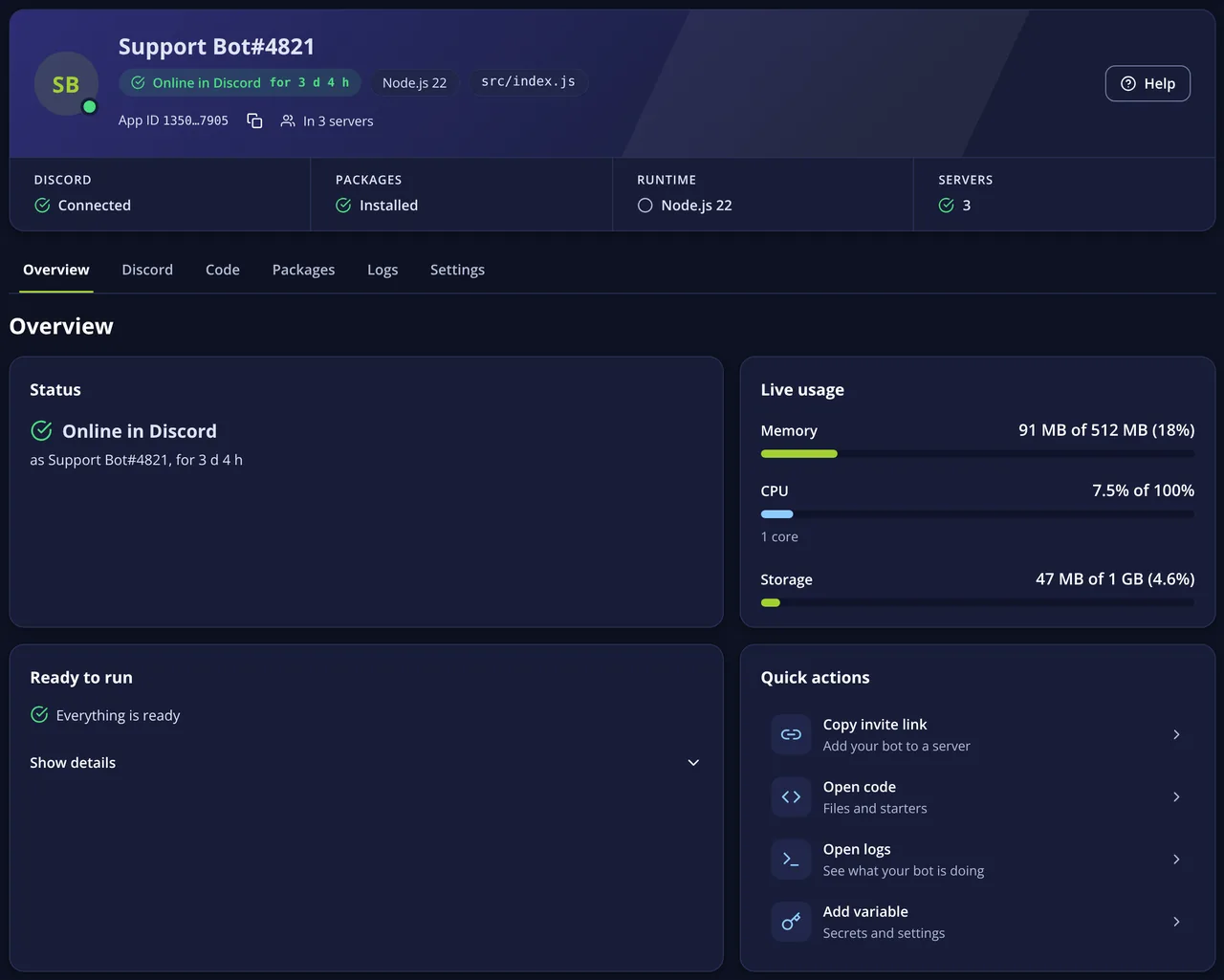
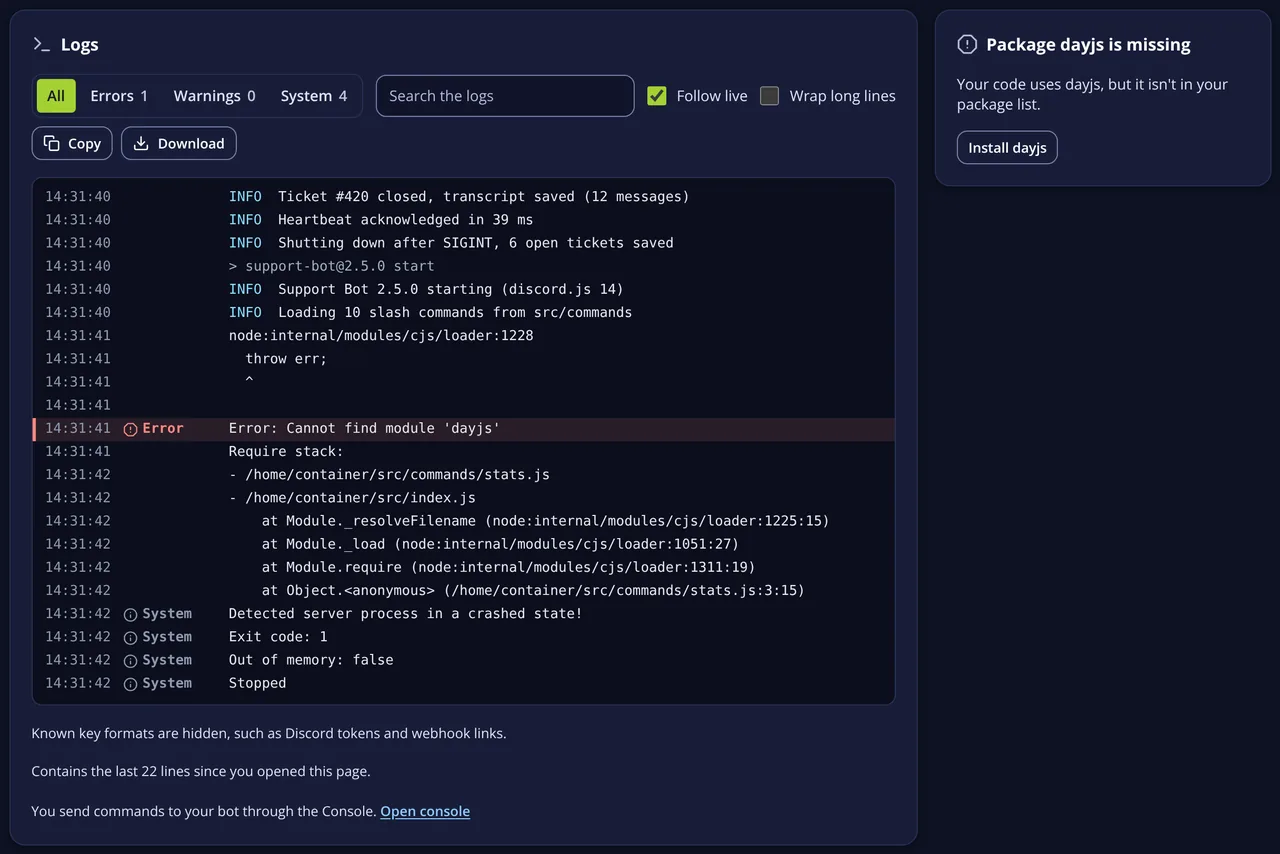
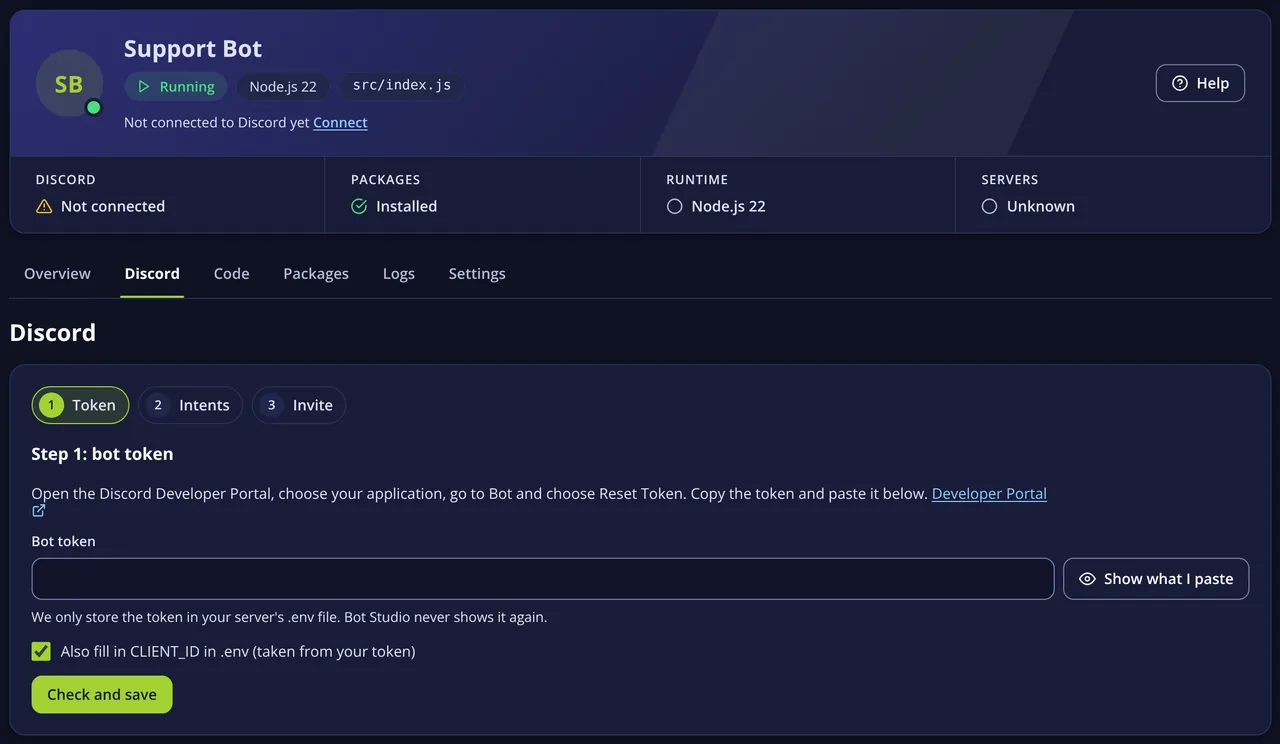
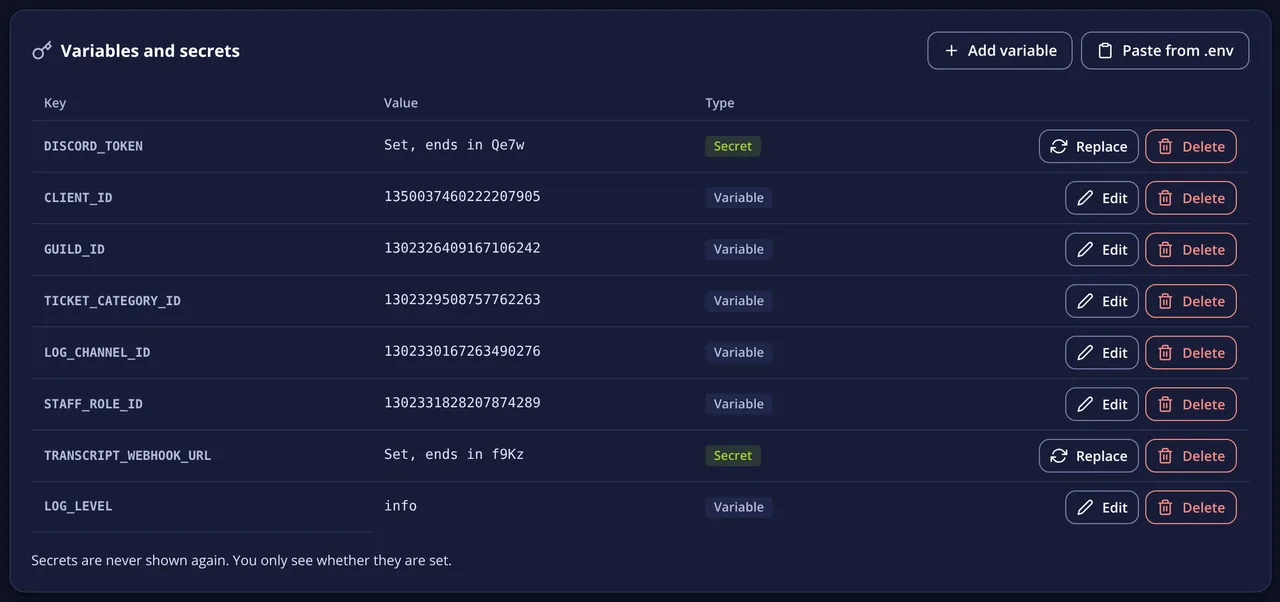
Screens of a demo bot. Names and numbers are examples.
Once you’ve paid, the server is ready.
Pick your version and start command under Startup.
Through the file manager or SFTP. Your token goes in a .env file.
The console shows whether it logs in to Discord.
Your own Minecraft Java server for your friends or your community, with Paper and plugins. Pick Standard for a friendly price or Premium for AMD Ryzen 9 7950X and 9950X processors.
Your own GTA V roleplay server with FiveM, txAdmin and your own resources.
Sandbox, TTT, Prop Hunt or DarkRP: your game mode, your addons.
Guides and articles about Discord bots.
Your Discord bot only runs while your PC is on? Move it to a server that never sleeps: tokens and intents, Node.js or Python, and what to know about ARM.
Your own Discord bot without writing code: how to build welcome messages, roles and commands for your server with Bot Studio in the game panel.
How to get your Discord bot running on your server: upload the files, keep your token safe, install packages and start it, with tips for Python and Java.

Which voice chat suits your clan or group: Mumble, TeamSpeak or Discord? The differences in sound, privacy, cost and admin side by side.
How to use the Discord Developer Portal: create an app and bot, add it to your server, pick the right intents and keep your bot token safe.
You can, but then your PC has to stay on day and night. On a server your bot stays online, even when you switch your PC off or it installs an update. More in Keep your Discord bot online 24/7 without your own PC.
Usually without any changes. Bots built with discord.js, discord.py or JDA run fine on ARM. If you use packages with their own binaries, check that an ARM64 (aarch64) build exists.
On our server in the United States. For a Discord bot the location hardly matters, because it mostly talks to Discord’s servers.
Never put the token in your code or in a public Git repository. Keep it in a .env file or environment variable on the server; Bot Studio has an editor for that.
Yes, as long as the memory allows it, for example with a start script that launches several processes. For big bots, one plan per bot is easier to manage.
Questions before you order? We are happy to help.