Skip to content

Modpack server hosting

A modpack server at CakeHosting is a Minecraft Java server where you install a pack in one click. Open the Modpacks tab in the game panel, pick a pack from CurseForge, Modrinth or Feed The Beast, and your server sets itself up.

Pick your plan

Choose your line

Standard Minecraft Java

  • Voxel cupcake with vanilla cream, a cherry and sprinkles

    CupCake 4 GBStandard

    per month

    €4.95

    or €50.49 a year

    Order now Minecraft Java CupCake 4 GB (Standard)

    This plan includes:

    • 4 GB of RAM
    • 2 CPU threads
    • 20 GB of storage
    • 2 backups, schedule them yourself
    • 2 databases
    • Standard DDoS protection from the data centre
    • Location: Europe (Netherlands, Germany or France), Canada, Singapore
  • Popular

    Round voxel cake with cream, three cherries and sprinkles

    Cake 6 GBStandard

    per month

    €6.95

    or €70.89 a year

    Order now Minecraft Java Cake 6 GB (Standard)

    This plan includes:

    • 6 GB of RAM
    • 3 CPU threads
    • 30 GB of storage
    • 2 backups, schedule them yourself
    • 2 databases
    • Standard DDoS protection from the data centre
    • Location: Europe (Netherlands, Germany or France), Canada, Singapore
  • Two-tier voxel cake with cream and a ring of cherries

    BIGCake 8 GBStandard

    per month

    €8.95

    or €91.29 a year

    Order now Minecraft Java BIGCake 8 GB (Standard)

    This plan includes:

    • 8 GB of RAM
    • 3 CPU threads
    • 40 GB of storage
    • 2 backups, schedule them yourself
    • 2 databases
    • Standard DDoS protection from the data centre
    • Location: Europe (Netherlands, Germany or France), Canada, Singapore
  • Tall two-tier voxel cake with cream dots and three candles

    SuperCake 12 GBStandard

    per month

    €12.95

    or €132.09 a year

    Order now Minecraft Java SuperCake 12 GB (Standard)

    This plan includes:

    • 12 GB of RAM
    • 4 CPU threads
    • 60 GB of storage
    • 2 backups, schedule them yourself
    • 2 databases
    • Standard DDoS protection from the data centre
    • Location: Europe (Netherlands, Germany or France), Canada, Singapore
Show all 12 sizesShow fewer sizes

Premium Minecraft Java

  • AMD Ryzen 9 7950X or 9950X

    Purple voxel cupcake with gold drips and a little gold crown

    Premium CupCake 4 GBPremium

    per month

    €8.95

    or €91.29 a year

    Order now Minecraft Java Premium CupCake 4 GB (Premium)

    This plan includes:

    • 4 GB of RAM
    • 4 CPU threads
    • 32 GB of storage
    • 2 backups, schedule them yourself
    • 2 databases
    • DDoS protection through Cloudflare Magic Transit
    • Location: Europe (Netherlands or France), United States (San Jose, California)
  • Popular

    AMD Ryzen 9 7950X or 9950X

    Purple voxel cake with gold drips, cherries and a little crown

    Premium Cake 6 GBPremium

    per month

    €12.95

    or €132.09 a year

    Order now Minecraft Java Premium Cake 6 GB (Premium)

    This plan includes:

    • 6 GB of RAM
    • 6 CPU threads
    • 48 GB of storage
    • 2 backups, schedule them yourself
    • 2 databases
    • DDoS protection through Cloudflare Magic Transit
    • Location: Europe (Netherlands or France), United States (San Jose, California)
  • AMD Ryzen 9 7950X or 9950X

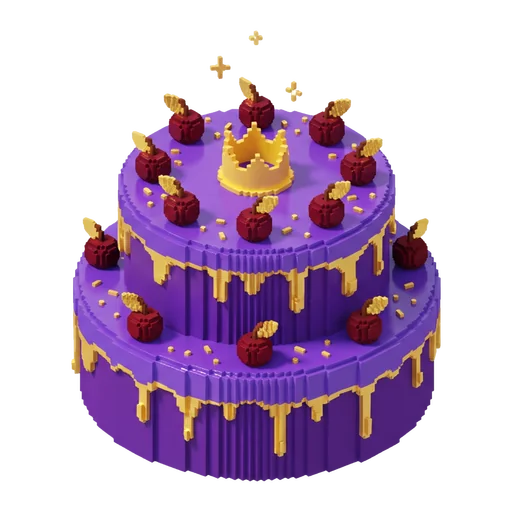
    Two-tier purple voxel cake with gold icing and a little crown

    Premium BIGCake 8 GBPremium

    per month

    €17.95

    or €183.09 a year

    Order now Minecraft Java Premium BIGCake 8 GB (Premium)

    This plan includes:

    • 8 GB of RAM
    • 6 CPU threads
    • 64 GB of storage
    • 2 backups, schedule them yourself
    • 2 databases
    • DDoS protection through Cloudflare Magic Transit
    • Location: Europe (Netherlands or France), United States (San Jose, California)
  • AMD Ryzen 9 7950X or 9950X

    Tall purple voxel cake with gold dots, candles and a little crown

    Premium SuperCake 12 GBPremium

    per month

    €25.95

    or €264.69 a year

    Order now Minecraft Java Premium SuperCake 12 GB (Premium)

    This plan includes:

    • 12 GB of RAM
    • 8 CPU threads
    • 96 GB of storage
    • 2 backups, schedule them yourself
    • 2 databases
    • DDoS protection through Cloudflare Magic Transit
    • Location: Europe (Netherlands or France), United States (San Jose, California)
Show all 12 sizesShow fewer sizes

All prices are per month and include 21% Dutch VAT unless stated otherwise. You will see the final amount at checkout.

How much memory do you need?

For most modpacks we suggest 8 GB or more, and heavy packs run best on Premium. Not sure? The server size calculator works it out.

5
Plugins or mods?
10

CupCake 4 GB Standard

€4.95 per month

Order now Minecraft Java CupCake 4 GB (Standard)
How we calculate

Base with plugins: 2.5 GB · 5 players × 0.12 GB: +0.6 GB · 10 plugins × 0.05 GB: +0.5 GB · Rounded up: 4 GB

Guideline for Minecraft Java: memory and plan per number of players
PlayersMemoryStandardPremium
5 players, no plugins or mods 4 GB CupCake 4 GB Premium CupCake 4 GB
10 players, 15 plugins 4.5 GB Cake 6 GB Premium Cake 6 GB
25 players, 30 plugins 7 GB BIGCake 8 GB Premium BIGCake 8 GB
5 players, modpack with 100 mods 9 GB PartyCake 10 GB Premium PartyCake 10 GB
10 players, modpack with 200 mods 14 GB MaxiCake 14 GB Premium MaxiCake 14 GB

Open the full calculator

Every server comes with

  • DDoS protection on every plan
  • Backups you schedule and restore yourself
  • Game panel with console, file manager and SFTP
  • Set up automatically after you pay
  • Cancel any month
  • Pay with iDEAL, Bancontact or credit card

From order to modded world

  1. Step 1: Pick your plan

    Give your pack enough RAM. If it grows, upgrade later.

  2. Step 2: Open Modpacks

    You will find the tab under Minecraft in the game panel.

  3. Step 3: Choose pack and version

    Search for your pack and click Install. Already have a world? Make a backup first.

  4. Step 4: Start and play

    Your server picks the right Java version by itself. Your friends install the same pack in their launcher.

Rather build your own?

  • Your own mod list

    Pick a Fabric, Forge or NeoForge server under Versions and drop your mods into the mods folder.

    Change version
  • Your own server pack

    Does your pack come with its own server files? Upload them over SFTP and set the jar file to start under Startup.

  • Backup first

    A pack update can damage your world. Make a backup first and you can roll back in a click.

    Making backups

Further reading

Frequently asked questions

Which modpacks can I install?

Packs from CurseForge, Modrinth, Feed The Beast, ATLauncher, Technic and Voids Wrath, such as All the Mods 10 or a Cobblemon pack. You search for them in the Modpacks tab of the game panel.

How much RAM does a modpack server need?

It depends on the pack. Count on 8 GB or more for most packs, more for packs with hundreds of mods, and check what the pack makers recommend. More in How much RAM does a Minecraft server need?

Standard or Premium for a modpack?

Small packs run fine on Standard. Big packs with hundreds of mods are happiest on Premium: faster cores and more CPU time per plan.

Will installing a modpack wipe my world?

Only if you tick Delete files: that removes all your server files first, your world included. So always make a backup before you start.

How do my friends join?

Everyone installs the same pack in the same version, for example with the CurseForge app or the Modrinth App, and connects to the address from the game panel. The step-by-step version is in Running a modpack server with friends.

More questions? See all frequently asked questions

Ready to mod?

Pick your plan and install your pack as soon as your server is ready.